
Anisotropy
Many materials such as Fluxtrol have anisotropic thermal and magnetic properties, meaning that material properties depend on the direction.
where X, Y and Z are the parameters in respective directions. This can be applied to any parameter such as or .
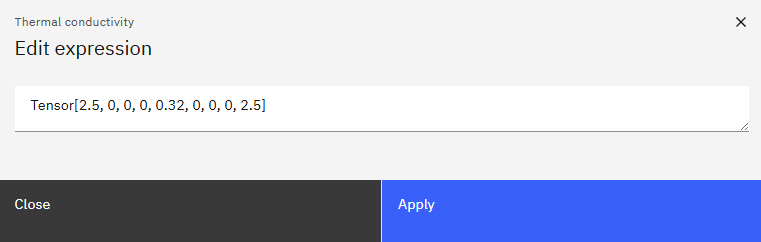
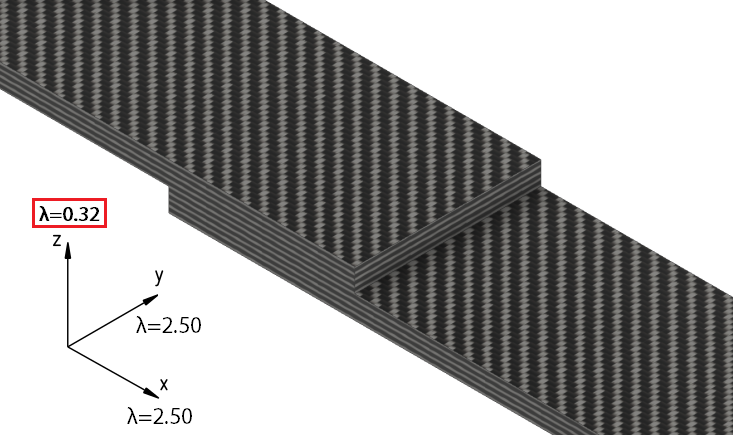
Here is an example of thermal conductivity anisotropy for a Carbon-Fiber thermoplastic piece, with a lower thermal conductivity in the Z direction.
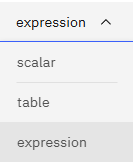
In this case we choose Expression as the parameter types and use:
This can be also used for a slice case with no changes in the expression.
Rotate anisotropy
If axis of anisotropy tensor do not align with XYZ, it is possible to rotate the tensor.
where, Rx, Ry, Rz are rotation about that axis in radians.
Example on how to rotate tensor:
In this example thermal conductivity would be maximal along the line rotated 45 degrees (pi/4 radians) around Z axis.
Temperature dependance
It is also possible to use temperature dependance in the expression. It should be noted as a*$1, where ‘a’ corresponds to some value but $1 represents the temperature value in the node in degrees Celsius.
So the expression would look something like:
Where you can see for the Y value $1 has been used.
2D cases
You can also use expressions for 2D cases. In this case, nothing has to be changed.
Note that Z direction is redundant as the 2D case happens in XY plane.
So you can input the same value as for the 3D case or just a 0, it will not change the result.
For example, if you want to have a small conductivity in radial direction but a large one in axial direction, you could input something like this:
In this case the Z component is not relevant but it is still necessary to have – it has been input as 0.
If all 3 components have not been input in the expression, the simulation will end with an error.