
Closed coils simulations
CENOS Induction Heating software allows not only open, but also closed coils simulations. In this article you can find out about how to set up such simulations.
Air domain
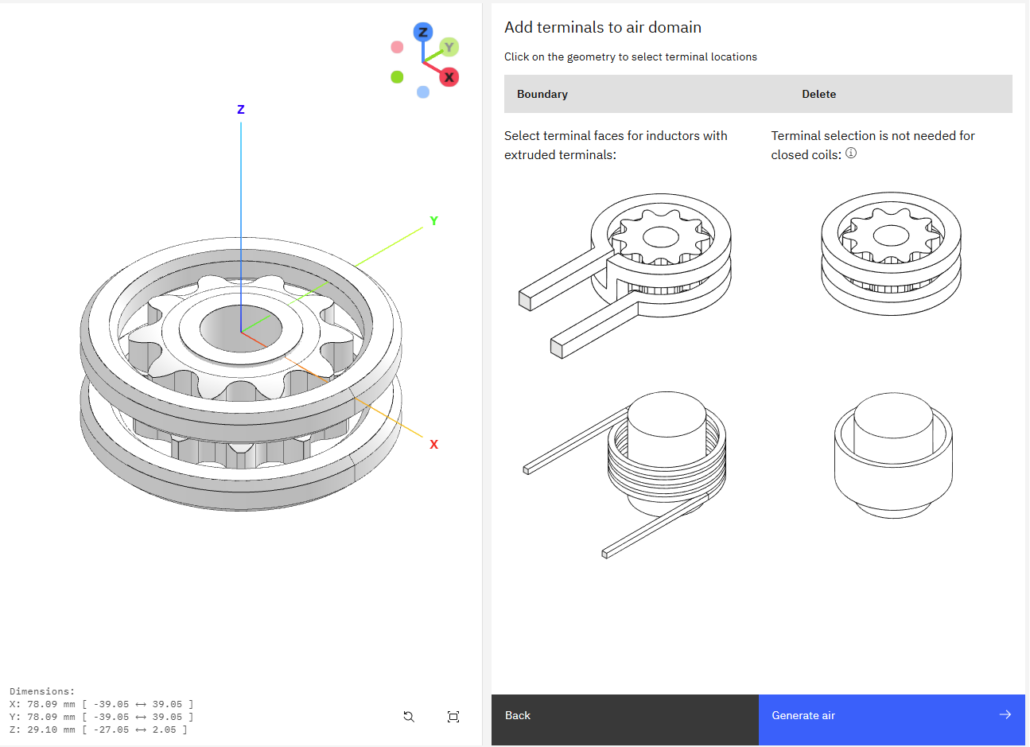
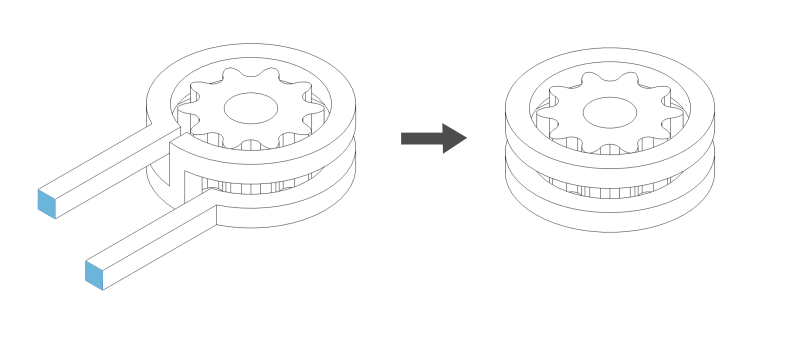
Once you have uploaded your geometry, the air domain needs to be generated. For closed coils simulations, there is not need for terminal selection, as they are not extruded, so here you just click CREATE AIR without selecting anything else.
Inductor role
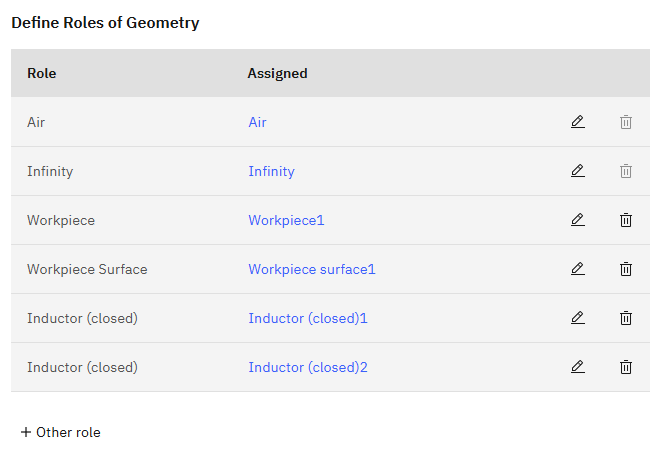
In the geometry roles window, you will see that you need to define the workpiece, workpiece surface and inductor (closed).
If you need to create an extra Inductor (closed) role, go to the Other… section and you will find this role in the dropdown menu.
Closed coil inductor physics
In the INDUCTOR tab you define the inductor properties.
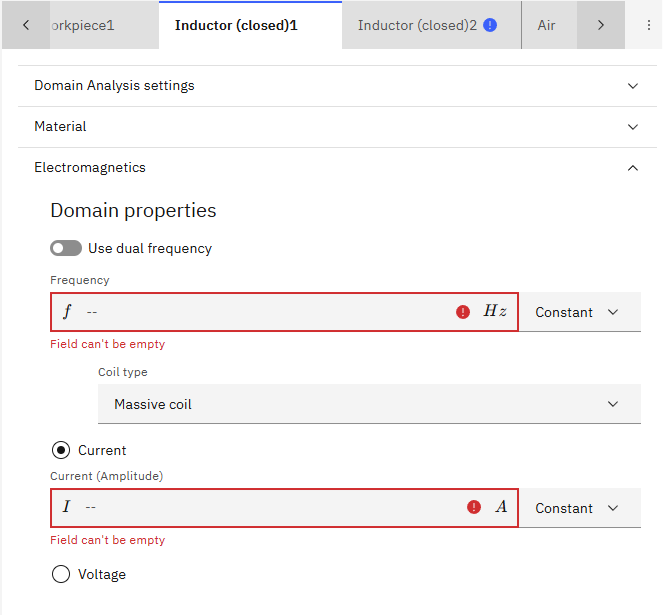
In this case, the inductor is defined as a closed coil and the material Copper is assigned automatically.
You need to specify the frequency for the inductor.
Next, you need to select if the inductor is a single turn coil or a multi-turn coil.
Massive coil vs Stranded coil
A massive coil is one where each inductor winding is represented by a closed loop in the closed coil – it will also have the skin layers generated in the meshing section.
For massive coil you also need to specify the current or voltage of the coil.
A stranded coil refers to a coil consisting of many fine turns of conducting wires. It can be created as a single solid from the CAD perspective, then you can assign the necessary values so that CENOS knows it is a stranded coil.
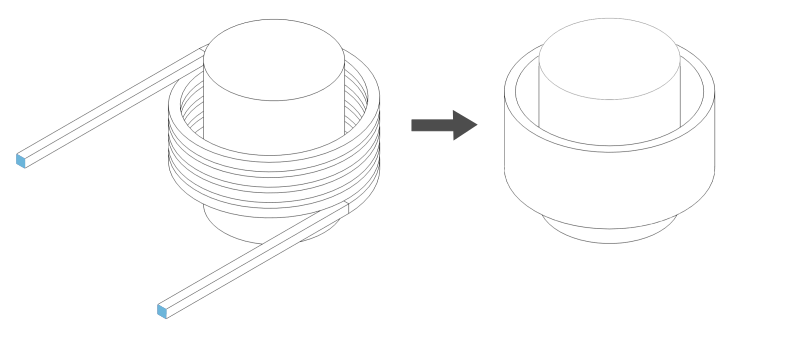
For stranded coil you also need to specify the current or voltage of the coil.
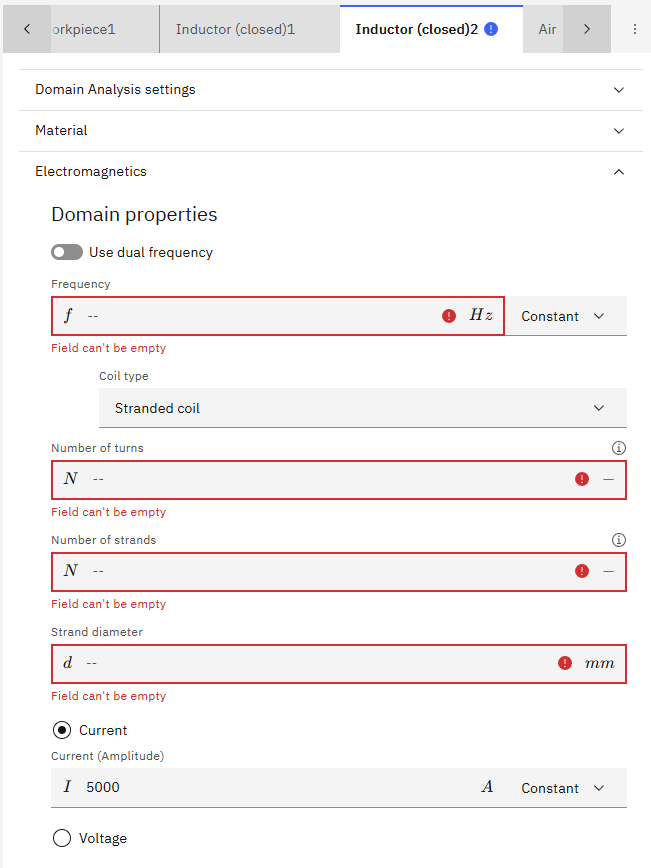
After that, you need to define the number of turns, number of strands and strand diameter.
Then you can click RUN to start the simulation.