CENOS : Simulation Software : Induction Heating : Radio Frequency : Wireless Charging
  • Products
    • Radio Frequency
    • Induction Heating
    • Wireless Charging
    • Electromagnetic Stirring and Pumping of Liquid Metals
    • Busbar Heating
  • Resources
    • News and articles
    • Case studies
    • User stories
    • Academic stories
    • Testimonials
  • Documentation
  • Academic
  • About
  • Contact
  • Book a demo
  • Menu Menu

Parametric Studies

When designing an RF system, running parametric studies is really helpful because it lets you try out different design variables and find the ones that give the best performance. This article will show how to create parametric studies in CENOS : RF using two different approaches:

Import CAD

With this approach, multiple CAD files representing the same geometry but with different dimensions can be imported at once. After loading the files, you only need to define the roles and physics for one of the cases.
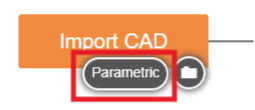
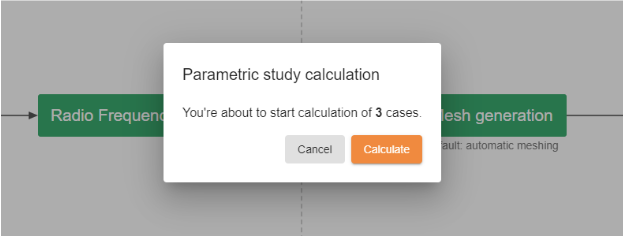
When the simulation is run, a separate simulation case will be automatically created for each imported CAD model, allowing the results to be evaluated and compared efficiently.
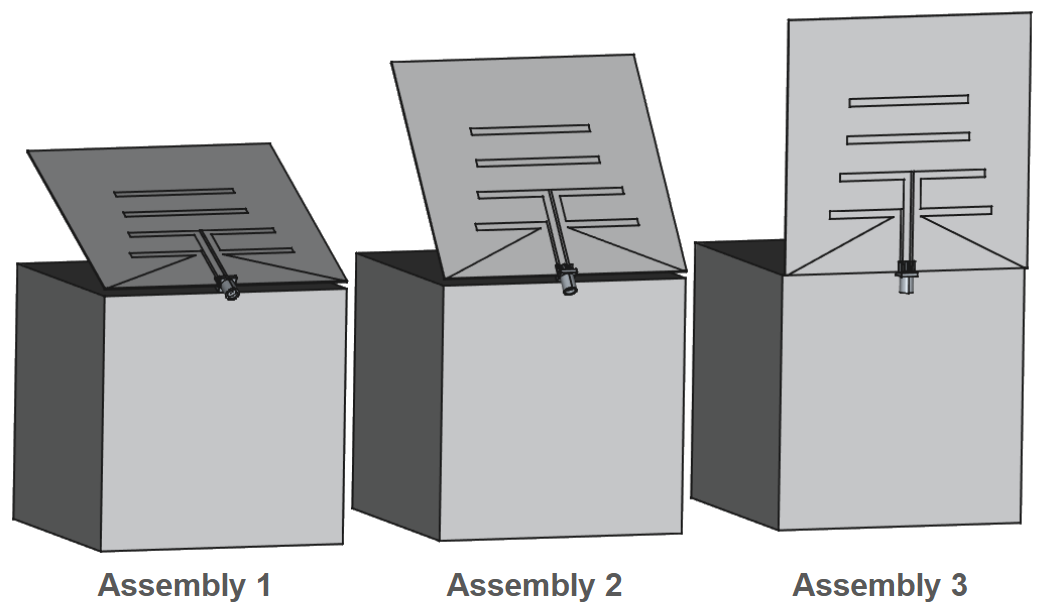
 

Parametric Study currently supports only CAD-as-assembly imports. If multiple CAD files are loaded, they will be treated as separate iterations of the same case. Load multiple assemblies swith the same topology to launch parametric study.


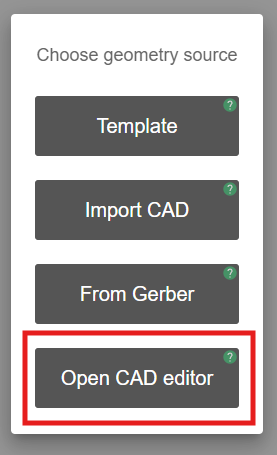
CAD editor

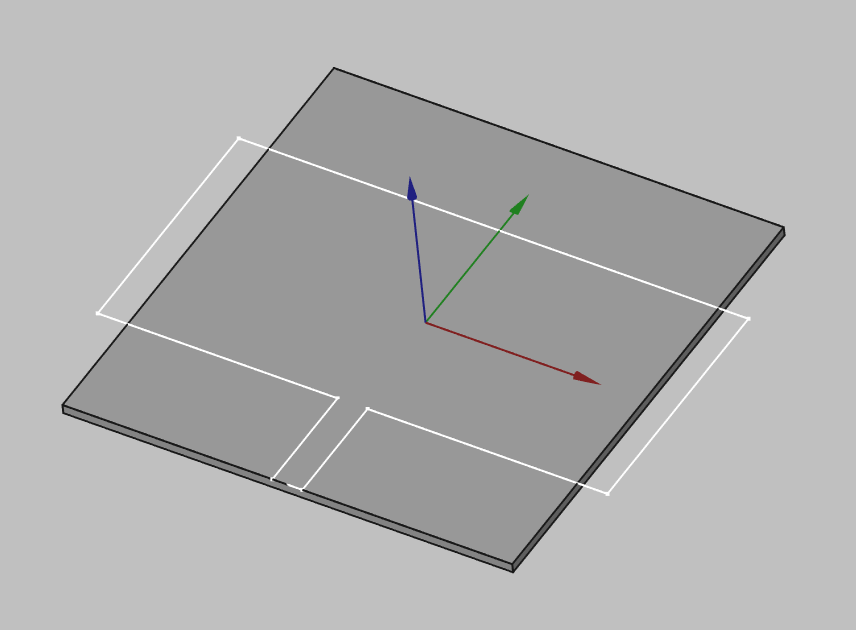
By using the integrated CAD editor (FreeCAD), the geometry can be created from scratch and fully parameterized. This allows the values of design variables to be modified easily!
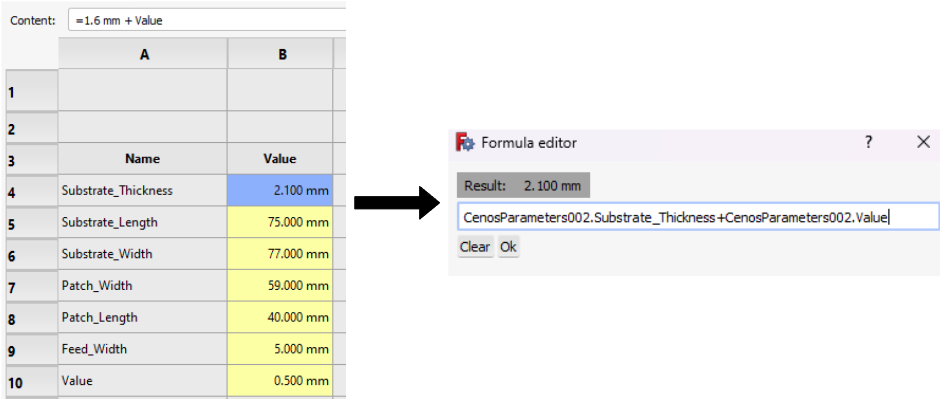
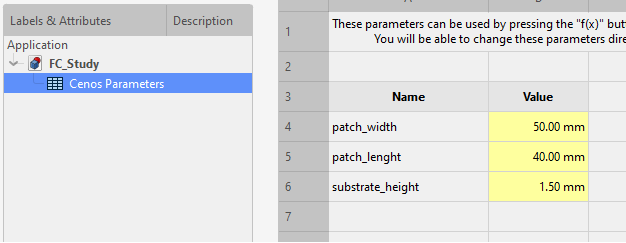
You can define parameters in the Cenos Parameters spreadsheet where you can use various units and/or mathematical equations for the values.
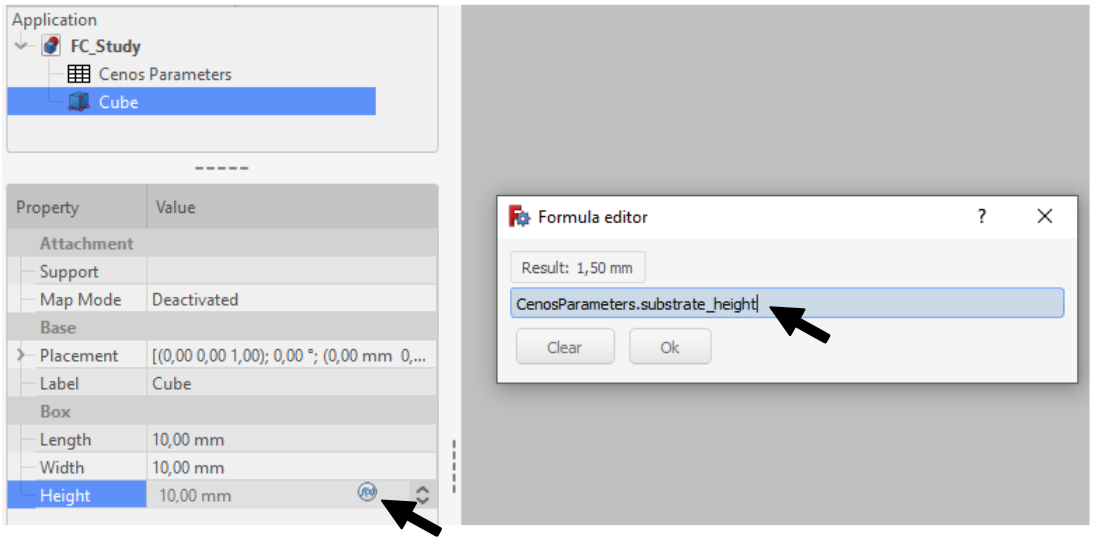
To use these parameters, click the Formula Editor button in the value field and then enter Cenos.Parameters.name.
Make sure to constrain your model’s sketches and check all the values you want to simulate if you intend on performing a parametric study! Otherwise, your sketches might hang over your base geometry and the simulation will fail!

Parametric Study currently supports only CAD-as-assembly imports. If multiple CAD files are loaded, they will be treated as separate iterations of the same case. Load multiple assemblies swith the same topology to launch parametric study.

Once you have finished working on your model and assigned all the parameters you are interested in, you can send the geometry to CENOS, where in the Physics section you will be able to start the parametric study.

Getting the geometry to CENOS

To send your finished geometry to CENOS, you have to:

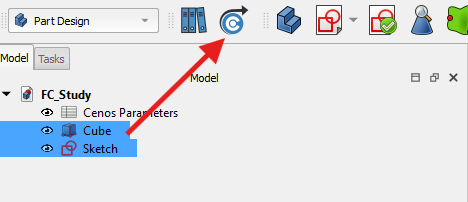
  1. Select all final objects in the tree view.
  2. Click Send Geometry to CENOS.

As geometry is being sent to CENOS, the FreeCAD study will be automatically saved in the simulation folder, so you can close it.

How to use Parametric Study?

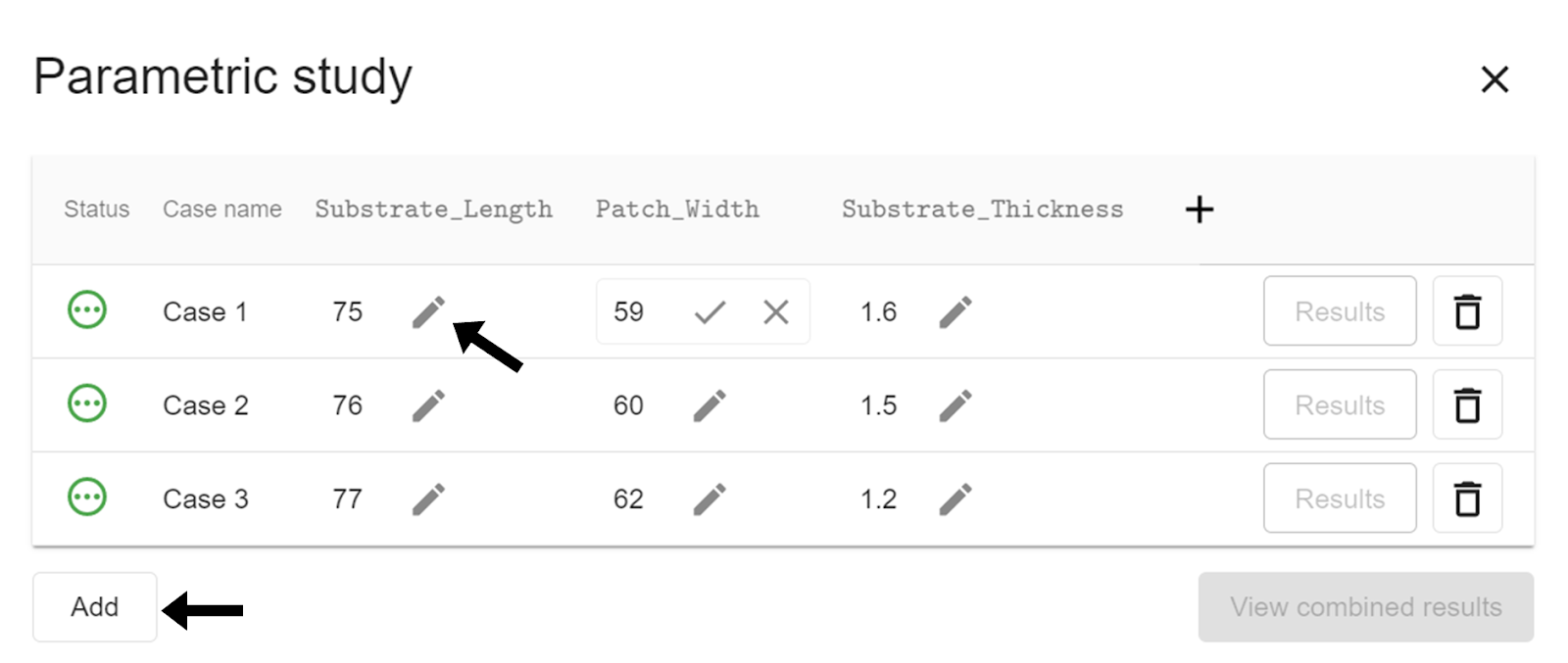
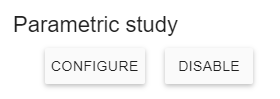
Once you have sent your geometry to CENOS and are in the Simulation Control, you will need to enable the parametric study and click on CONFIGURE.
The parameters you have previously defined will appear in a new window, you can add one or more parameters! You can also add as many cases as you need to simulate – just click Add and a new case will be created.
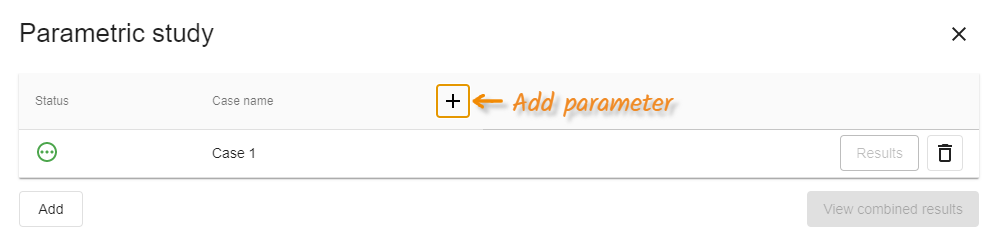
When you have finished making the necessary adjustments, you just need to close the parametric study window and continue with the usual workflow.

Limitations​

Geometry overlapping

By changing the parameter values, geometry can become non-physical, i.e. elements can overlap each other or sketches can be left out of a solid surface. It is necessary to avoid these situations so that the simulations work properly and the results are obtained without any inconvenience. Make sure that your geometry has the necessary constraints and that the parameter dimensions are physically possible.


How to access the results of the Parametric Study?

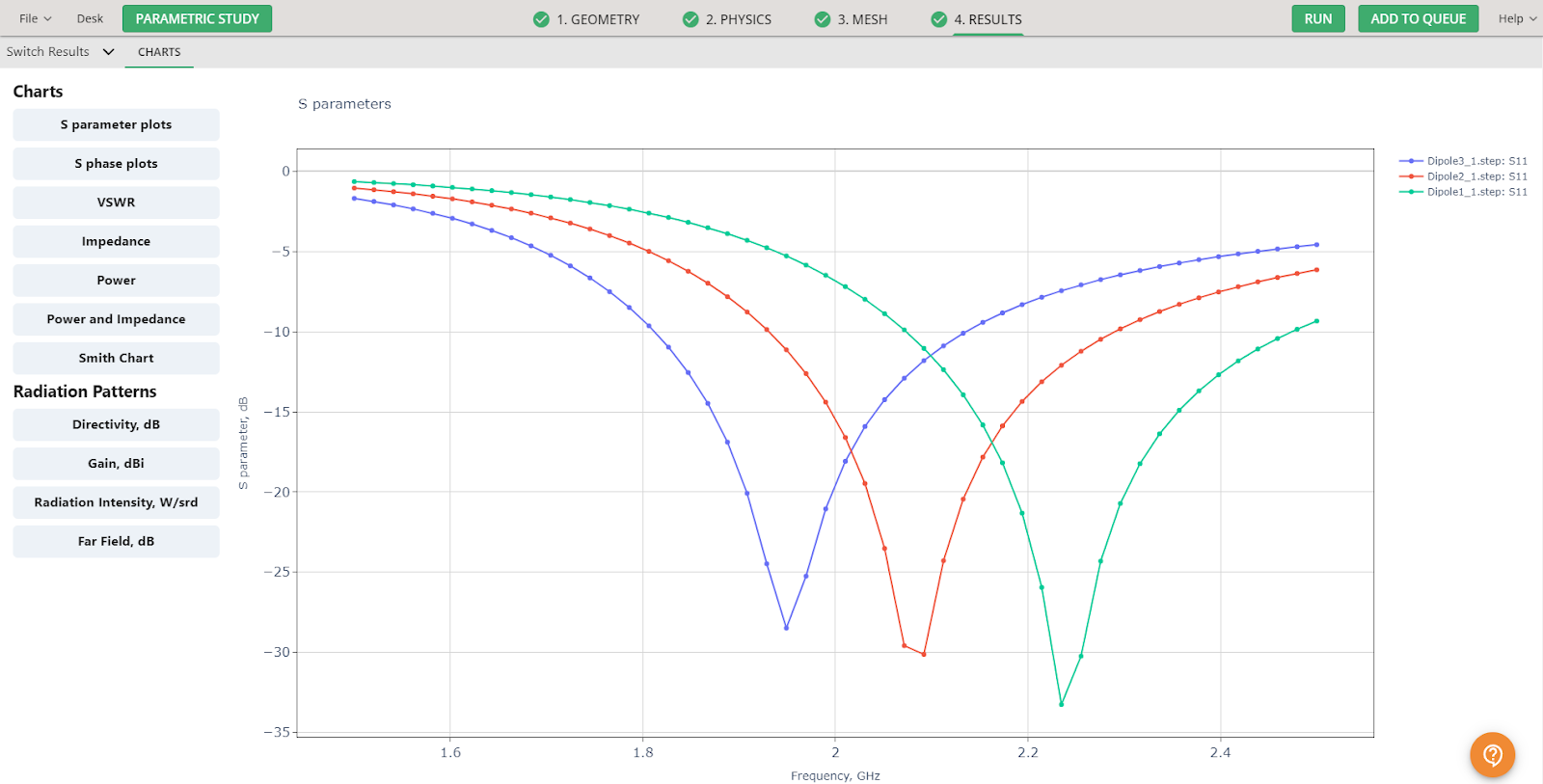
Once your simulation has finished computing, the results will be displayed automatically. You can access the charts for all cases within a single window, allowing you to directly compare the performance of designs with different dimensions.
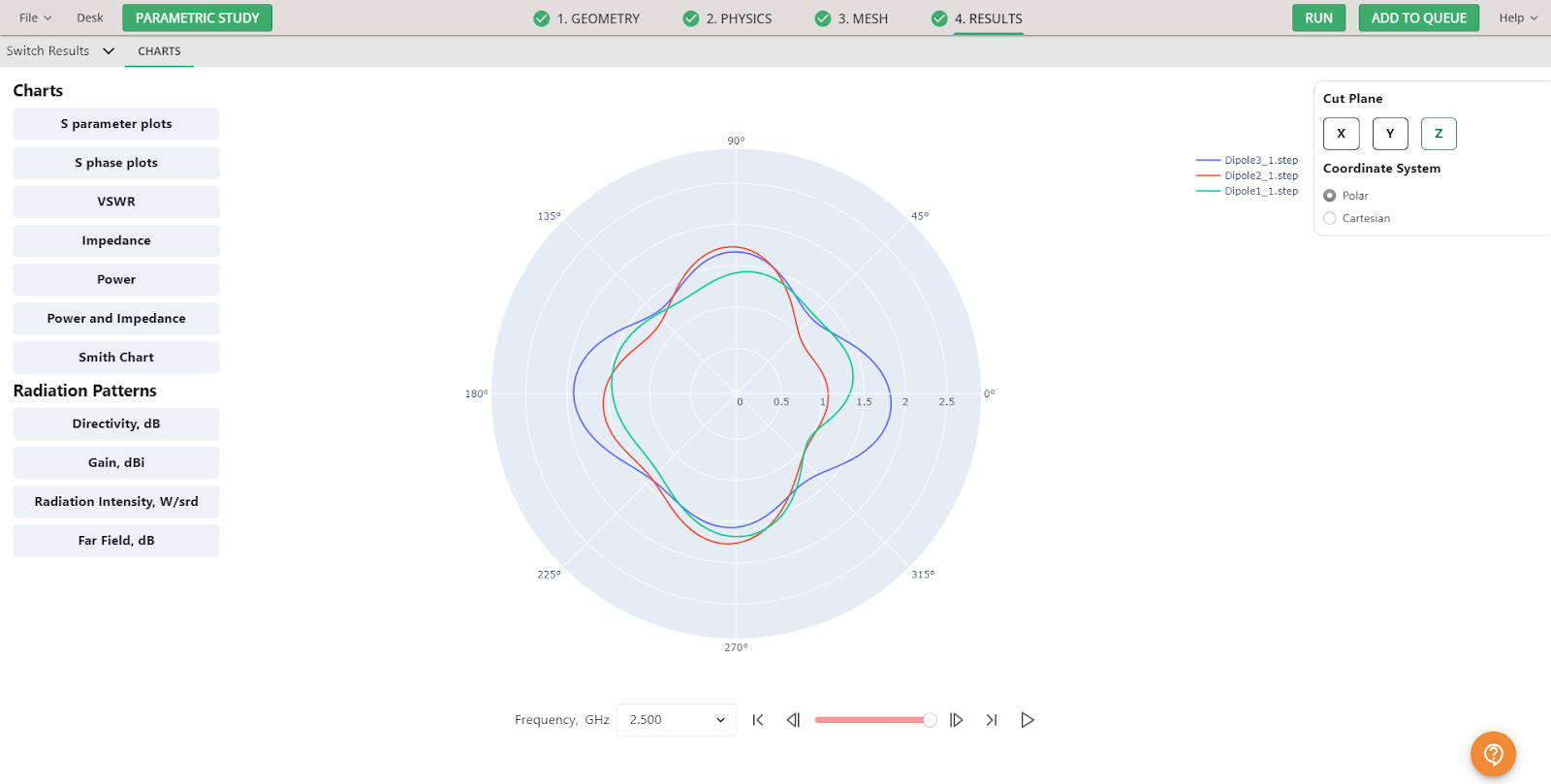
Similarly, the radiation patterns for all cases can be viewed in 2D, in both polar and cartesian coordinate systems, for each calculated frequency. This setup provides a clear and convenient way to analyze and evaluate the performance of each configuration.
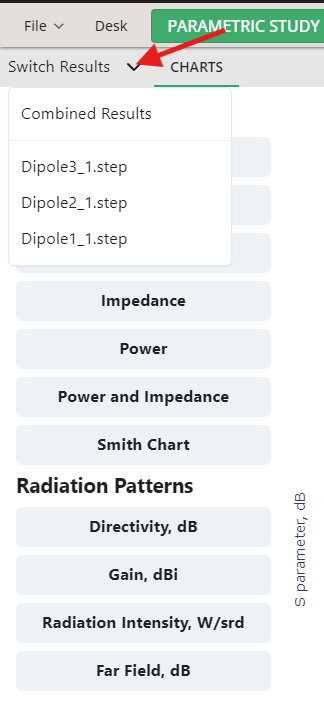
You have the option to switch between combined results and the individual results of each case:

  • In the Results window, click on the Switch Results tab to display a list of all computed cases.
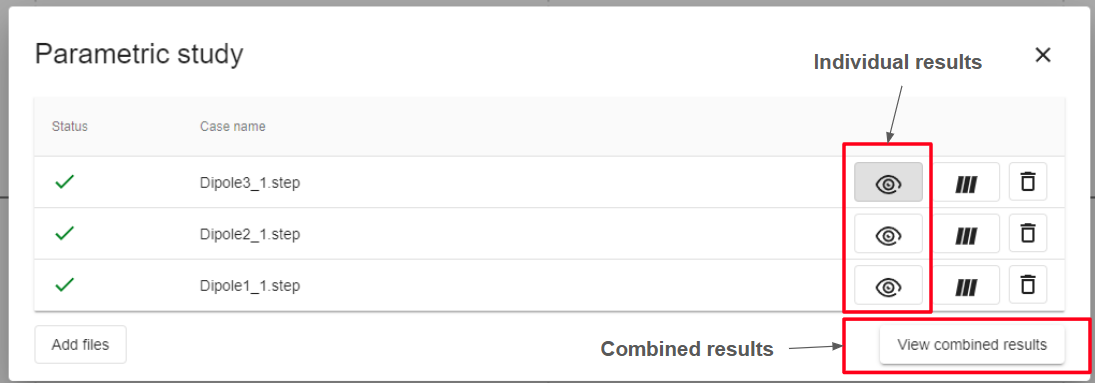
  • In the upper-left corner, locate the Parametric Study box. Here, you can choose to open either the individual results for each case or the combined results

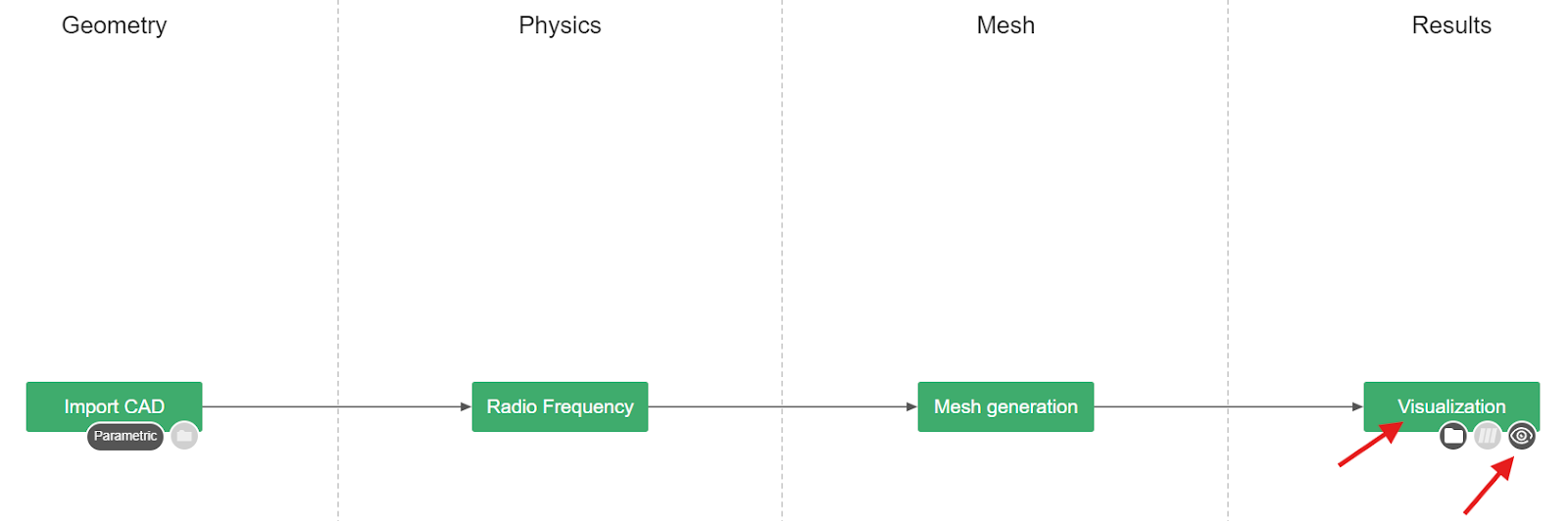
  • Clicking on the Visualization box will take you directly to the combined results view, allowing for a convenient overview and comparison of all cases.

 

Print Friendly, PDF & Email

Contents

We are a software company on a mission to reshape the engineering process by providing engineers of all disciplines with truly accessible simulation tools for practical work.

caotica.ee veebidisain, kodulehe disain, veebi arendus, kodulehe arendus, kodulehe tegemine, wordpress arendus caotica.ee veebidisain, kodulehe disain, veebi arendus, kodulehe arendus, kodulehe tegemine, wordpress arendus

Products

Radio Frequency
Induction Heating
Wireless Charging
Electromagnetic Stirring, Melting and Pumping of Liquid Metals
Busbar Heating

Resources

Documentation
News and articles
Case studies
Testimonials
About
Careers

Get in touch

info@cenos-platform.com

Americas

C. Héroe de Nacozari 25B-int V-2210, Centro, 76000 Santiago de Querétaro, Qro., Mexico.
(US) +1 614 705 0681

Europe

Zeļļu iela 23, Riga, Latvia.
(EU) +371 27819253

Print Friendly, PDF & Email
© 2017–2025 CENOS™ SIA. All Rights Reserved. caotica.eu web design, web development, digital marketing, wordpress development caotica.eu web design, web development, wordpress development, digital marketing, online marketing
  • Privacy & Data Policy
  • Terms & Conditions
Scroll to top

This site uses cookies. By continuing to browse the site, you are agreeing to our use of cookies.

AcceptSettings

Cookie and Privacy Settings


How we use cookies

We may request cookies to be set on your device. We use cookies to let us know when you visit our websites, how you interact with us, to enrich your user experience, and to customize your relationship with our website.

Click on the different category headings to find out more. You can also change some of your preferences. Note that blocking some types of cookies may impact your experience on our websites and the services we are able to offer.

Essential Website Cookies

These cookies are strictly necessary to provide you with services available through our website and to use some of its features.

Because these cookies are strictly necessary to deliver the website, refusing them will have impact how our site functions. You always can block or delete cookies by changing your browser settings and force blocking all cookies on this website. But this will always prompt you to accept/refuse cookies when revisiting our site.

We fully respect if you want to refuse cookies but to avoid asking you again and again kindly allow us to store a cookie for that. You are free to opt out any time or opt in for other cookies to get a better experience. If you refuse cookies we will remove all set cookies in our domain.

We provide you with a list of stored cookies on your computer in our domain so you can check what we stored. Due to security reasons we are not able to show or modify cookies from other domains. You can check these in your browser security settings.

Other external services

We also use different external services like Google Webfonts, Google Maps, and external Video providers. Since these providers may collect personal data like your IP address we allow you to block them here. Please be aware that this might heavily reduce the functionality and appearance of our site. Changes will take effect once you reload the page.

Google Webfont Settings:

Google Map Settings:

Google reCaptcha Settings:

Vimeo and Youtube video embeds:

Privacy Policy

You can read about our cookies and privacy settings in detail on our Privacy Policy Page.

Privacy & Data Policy
Accept settings